
Bruin Card Services
Bruin Card Services manages the university’s ID card program, issuing credentials for students, faculty, and staff. The Bruin Card provides secure access to campus facilities and enables convenient, cashless payments at on-campus (and some off-campus) dining locations, vending machines, and print stations. Bruin Card Services works closely with campus partners to ensure reliable security, integration, and ongoing credential support.
If you have questions or concerns with your Bruin Card, email bruincard@belmont.edu.
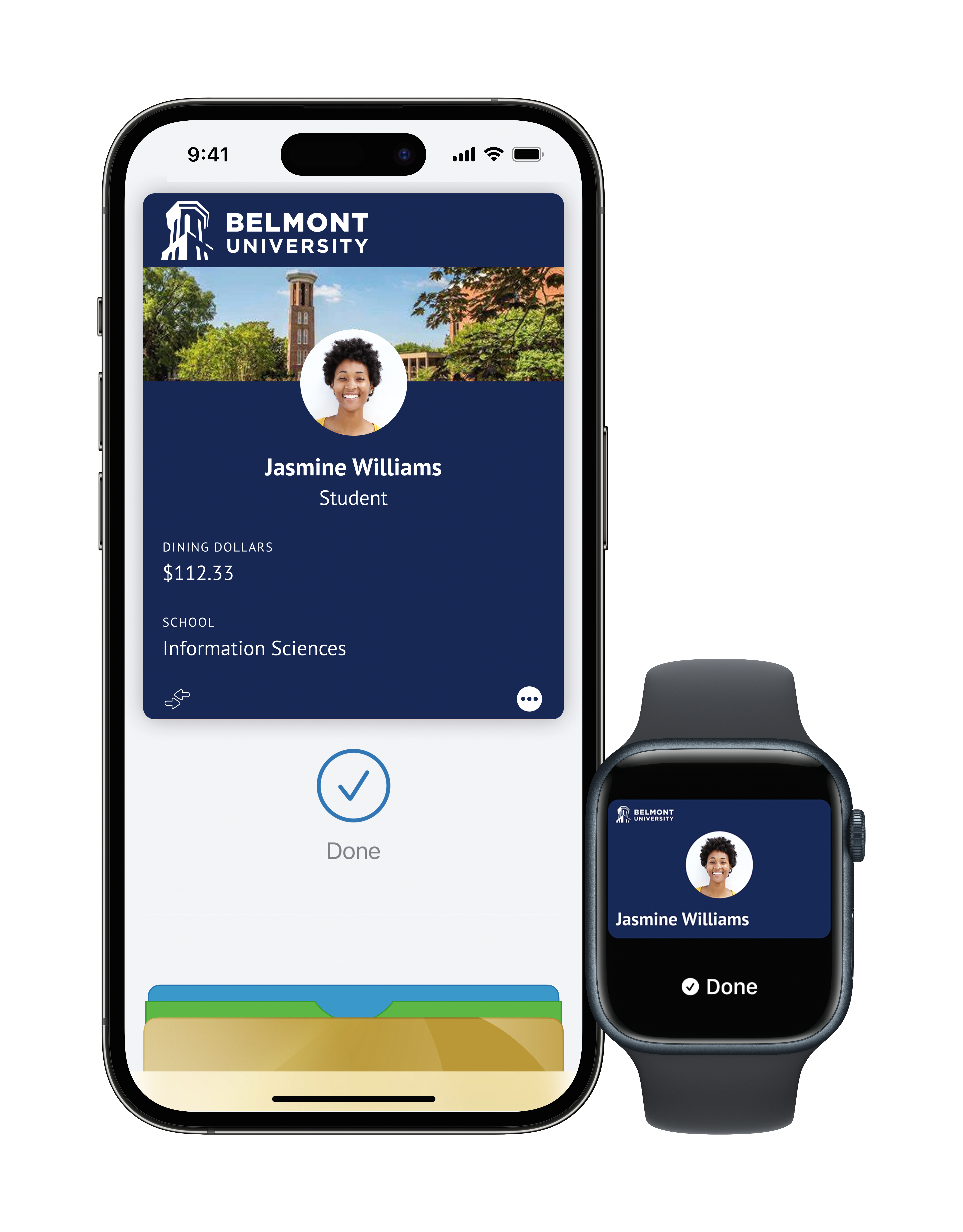
Your Bruin Card. Now Mobile.
The Bruin Card is now available on your mobile device. Access the mobile Bruin Card resource page for instructions and FAQs!
General Bruin Card Questions
All students, faculty, and staff should take the necessary steps to acquire their Bruin Card to be properly identified as members of the Belmont community.
The Bruin Card is now fully mobile. Follow the instructions here to provision your mobile Bruin Card at any time or review FAQs specifically related to the mobile Bruin Card.
- All new, incoming students will be directed to provision their mobile Bruin Card. New students can review their Orientation checklist for steps to secure their Bruin Card.
- New faculty and staff may provision a mobile Bruin Card at any time or they may choose to have a plastic card. Employees can only choose one form of credential.
- At this time, plastic Bruin Cards are printed by the Office of Campus Security. If you currently have a plastic Bruin Card and need a replacement, you may obtain a replacement card from the Campus Security. Replacement cards for students are $35 and will be billed to the student’s account.
Bruin Cards are free at first issue. Replacement plastic ID cards for students are $35 per replacement. Broken or malfunctioning cards will be replaced at no cost. Replacement cards can be requested and printed in-person in the Office of Campus Security.
Mobile Bruin Cards are free and can be transferred to another device if you obtain a new mobile device. See the mobile Bruin Card page for more information.
Lost or stolen cards should be reported immediately to the Office of Campus Security and Bruin Card Services (bruincard@belmont.edu).
For lost/stolen plastic cards, students may receive their replacement plastic card from Campus Security, and a fee of $35 will be added to the student’s account.
For lost/stolen mobile devices, the cardholder will need to remove the credential from the old device if possible or contact Bruin Card Services (bruincard@belmont.edu) for assistance before attempting to add the mobile credential to a new device. Temporary access support can be requested through the Office of Campus Security.
Bruin Card Services will review and investigate any discrepancies in stored value account balances from the date that the card is reported missing and will restore balances as necessary.
The Bruin Card can be used at all on-campus dining locations and several off-campus locations. The Bruin Card can be used to purchase items at either of our on-campus Bear Necessities convenience stores using Bruin Flex Pass, Dining Dollars, or Bruin Bucks. The Bruin Card can also be used to access vending and printing across campus.
Bruin Bucks, Stored Value & eAccounts Questions
- Before the add/drop date each semester, students may add Bruin Bucks via their student account by logging on to their Housing portal. In MyBelmont, select the Housing icon from the center Launch Pad screen. From the home screen of the Housing portal, follow the prompts to add Bruin Bucks. Charges will appear on the student’s account within 3-5 business days, and Bruin Bucks will typically be available in that same time frame.
- Bruin Bucks can be added dollar-for-dollar via credit card at any time using the eAccounts app on any smartphone or at this link (student will need to sign into their account and click "Add Funds" at the top of the page). These funds should be available almost immediately after purchase.
Account balances can be viewed on the Transact Mobile Ordering app, on the eAccounts app on any smartphone, or on the eAccounts website at this link.
- Dining Dollars and meals are associated with dining plans and are only available for the term session of purchase. Unused dining dollars in the fall will roll over to the spring term session automatically. All Dining Dollars acquired during the academic year will expire at the end of the spring term. Unused meals at the end of a week (for weekly plans) or term sessions do not roll over.
- Bruin Bucks purchases are non-refundable. Bruin Bucks are valid as long as a student is actively enrolled at the university. When a student leaves the university (either by graduating or withdrawal), Bruin Bucks will no longer be available.